We've made installing PowerScripts much easier on Windows and Mac. There's no separate installer app to download any more: just download one small file, drop it onto Illustrator, and PowerScripts installs itself in about a minute.
- Windows or macOS, including Apple Silicon Macs
- Adobe Illustrator 2024, 2025, 2026 or newer (also works with 2021 - 2023)
- No administrator rights needed
- An internet connection
How to install
-
Download the installer
Click Download the easy installer above. You'll get a file called PowerScripts Installer L10.1.11 - drag onto Illustrator.jsx.
-
Open it in Illustrator
Start Adobe Illustrator, then either drag the downloaded file onto the Illustrator window, or choose File › Scripts › Other Script… and select it.
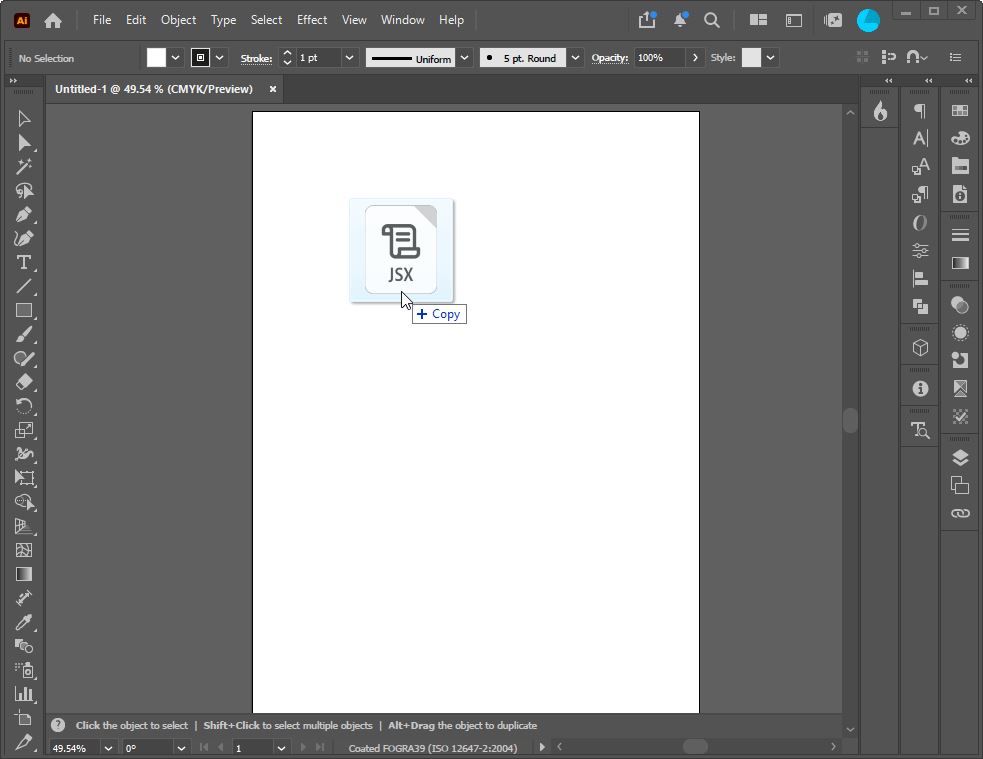
Drag the file onto Illustrator 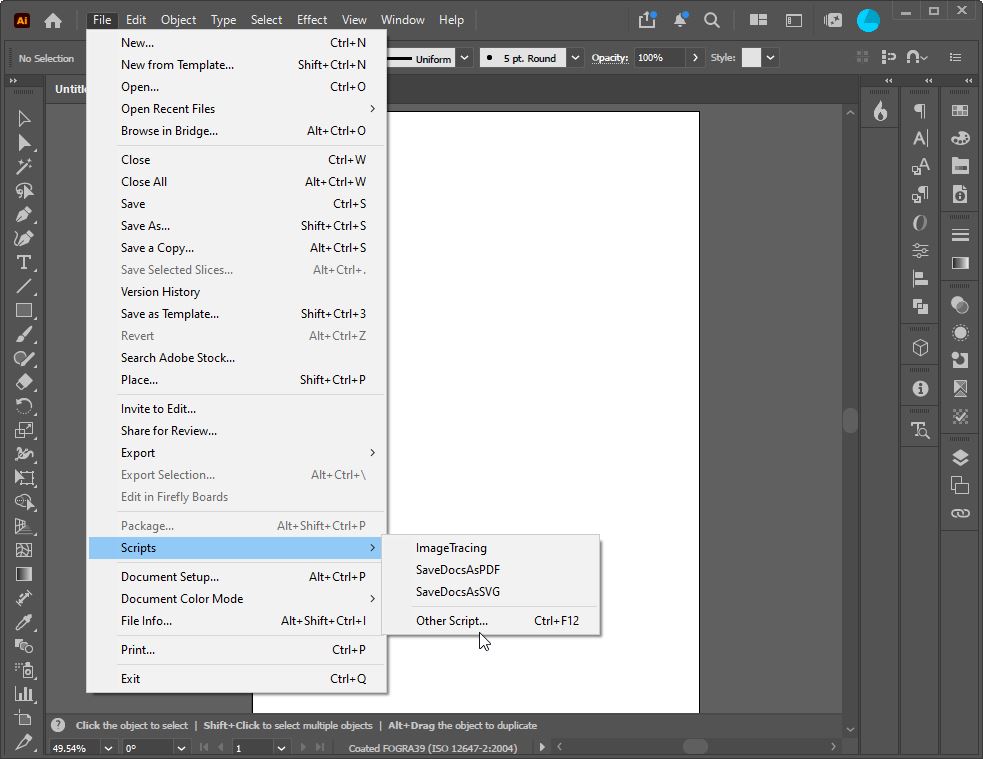
or File › Scripts › Other Script… -
Allow it to run
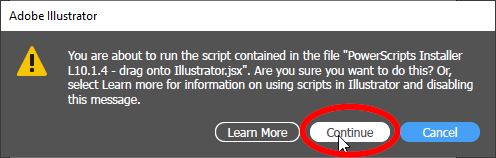
If Illustrator asks whether to run the script, click Continue.
-
Click Install
Choose your language if you like, then click Install and wait a few seconds while it installs.
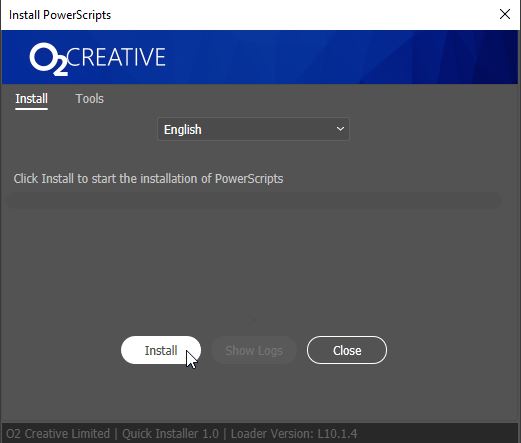
Click Install 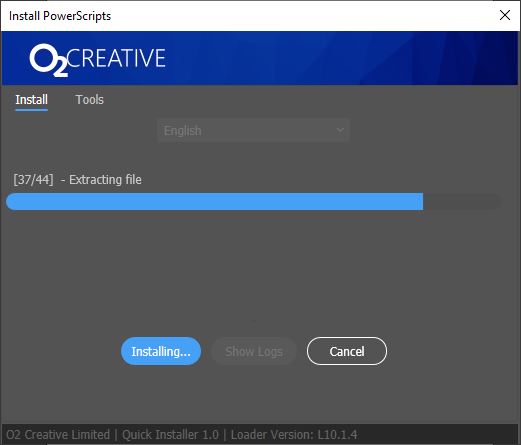
Installing… -
Restart Illustrator and open PowerScripts
Close and reopen Illustrator, then choose Window › Extensions › PowerScripts 2026 Loader. PowerScripts downloads its latest version the first time it opens, and keeps itself up to date after that.
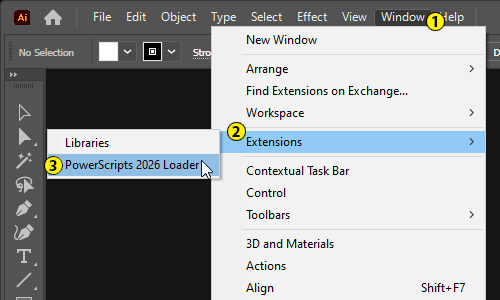
-
See an empty PowerScripts panel? Close it
If you used PowerScripts 3.7 before, its panel may still be docked in your workspace. It's turned off now, so it stays empty. Close that panel (or drag it out and close it), then open the new one from Window › Extensions › PowerScripts 2026 Loader.
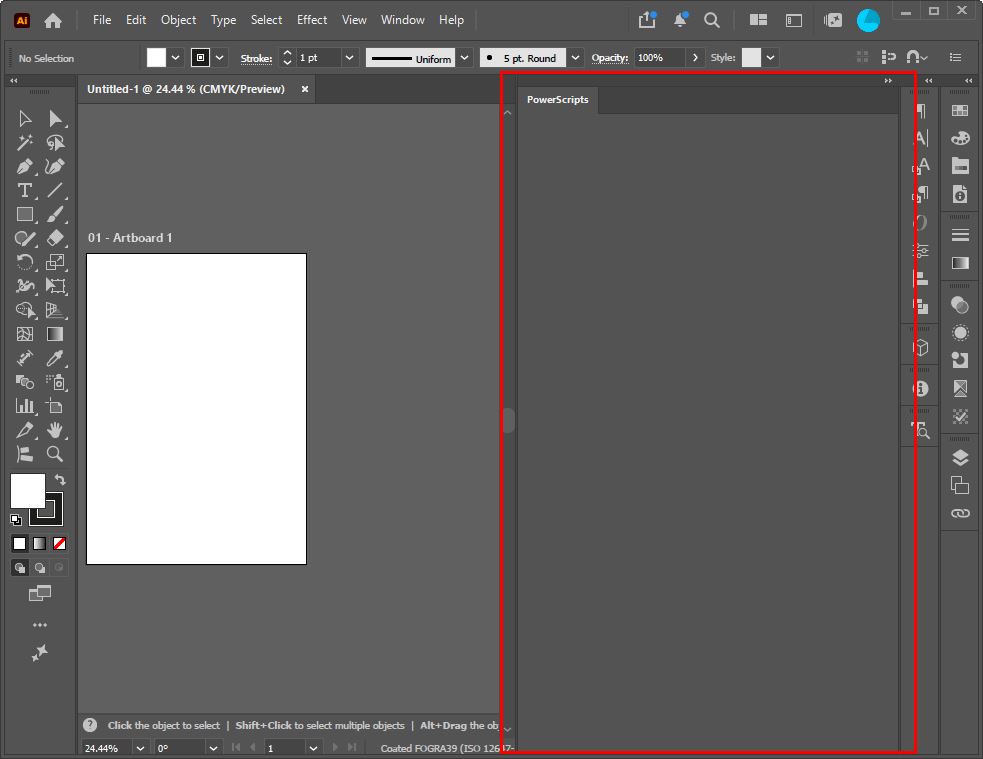
The old, empty PowerScripts panel: close it
Need help?
If you have any issues installing PowerScripts, please send a description and screenshots of the problem to
info@o2creative.co.nz.
See what's new in PowerScripts 3.8.34